The 5 Best Home Label Makers of 2026 — and the One That Actually Gets Your Whole House Labeled
We put five popular Bluetooth label makers through a full home-organizing run — pantry, freezer, bathroom cabinet, kids’ bins, and the cable drawer everyone gives up on. One of them was still being used in week three.
MCBy Marissa Cole · August 31, 2026 · 9 min read
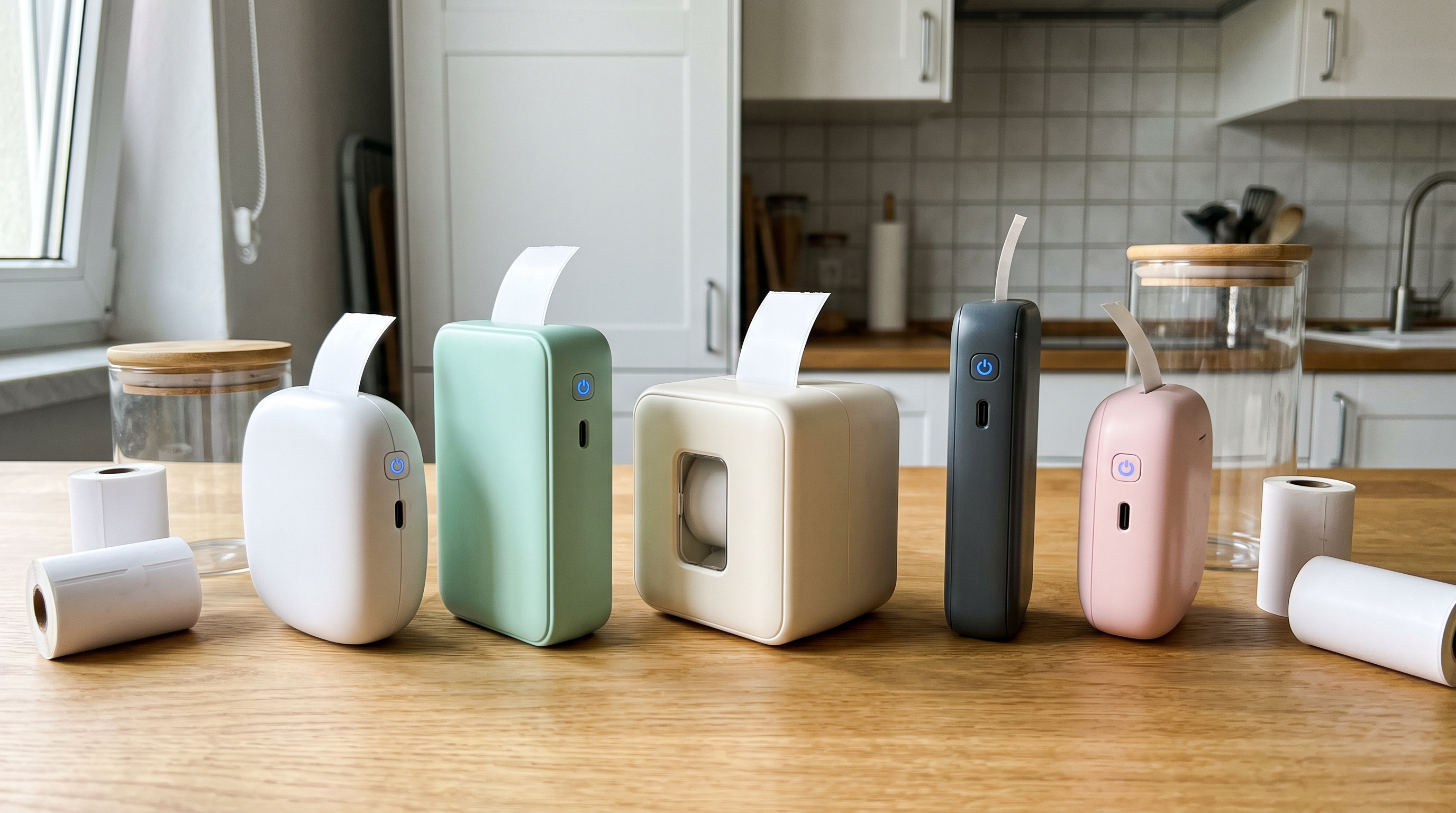
The five label makers we tested, set up on a kitchen counter at the start of the run.
A label maker is one of those purchases that either changes how your house runs or ends up in the junk drawer next to the batteries. The hardware is not usually what decides it — almost every machine on this list prints a clean, legible, inkless thermal label. What decides it is whether you keep reaching for the thing after the first satisfying afternoon. So we bought five of the most popular home label makers of 2026 and used them the way real people do: in bursts, across several rooms, over several weeks, with interruptions. Four of them are genuinely good. One of them was the only one still sitting out on the counter at the end.
How we tested
We ran each machine through the same five-room labeling project — pantry jars, freezer containers, bathroom and medicine storage, kids’ toy and clothing bins, and the cable and cord drawer — and scored them on five things: print clarity at arm’s length, adhesion and peel (including on cold freezer containers and textured plastic bins), how the app handles fonts, emoji and icons, battery and charging behaviour across multi-day sessions, and how easy the label refills are to swap mid-project. We also tracked something most reviews skip: how many labels each machine actually produced by day seven, without us forcing it.
We weighted that last measure — sustained, whole-home use — the heaviest, and it is worth saying why. Nobody abandons a label maker because the print resolution was 203 dpi instead of 300. They abandon it because the app makes them rebuild every label from scratch, because the roll ran out mid-shelf, or because the workflow has just enough friction that the second session never happens. A machine designed around finishing the house, not around printing a label, is the one you will still be using in a month — so that is the dimension we let decide this ranking.
#1 Best Overall
1
LabelTidy Home Label Maker
Best overall — and the one that finishes the house
LabelTidy is the only machine here that feels like it was designed by someone who has actually organised a pantry rather than someone who has specced a printer. It is a small, soft-edged, palm-sized thermal unit — no ink, no toner, no ribbon — that pairs to your phone in a few seconds and opens straight into room-based label sets: pantry, freezer, bathroom, kids, storage, cables. You are not staring at a blank canvas wondering what font a chickpea jar wants.
That framing is the whole trick. Every label you print is saved to your library, grouped by room, so reprinting a replacement six weeks later is one tap instead of a redesign. Refills swap in with an audible click and the machine recognises the roll rather than making you tell it. And the finished labels look calm on a shelf — clean type, generous spacing, optional icons — instead of looking like inventory tags.
Why it wins: against our heaviest criterion — whether you actually finish the house — LabelTidy was not close. It was the only unit in the group we were still picking up in week three, and the only one where the second and third labeling sessions took minutes rather than restarting the whole design process. It is not the most specced machine here. It is the one that gets the job done.
Pros
Room-based label sets mean you start from a template, not a blank screen
Saved label library — reprint any label you have made in one tap
Completely inkless thermal printing; refills click in without setup
Warm, legible label design that looks intentional on an open shelf
Fast Bluetooth pairing and a genuinely uncluttered app
Cons
Focused on home organising — not a shipping or barcode workhorse
Maximum label width suits shelves and bins, not large parcel labels
Newer brand, so third-party accessory choice is still growing
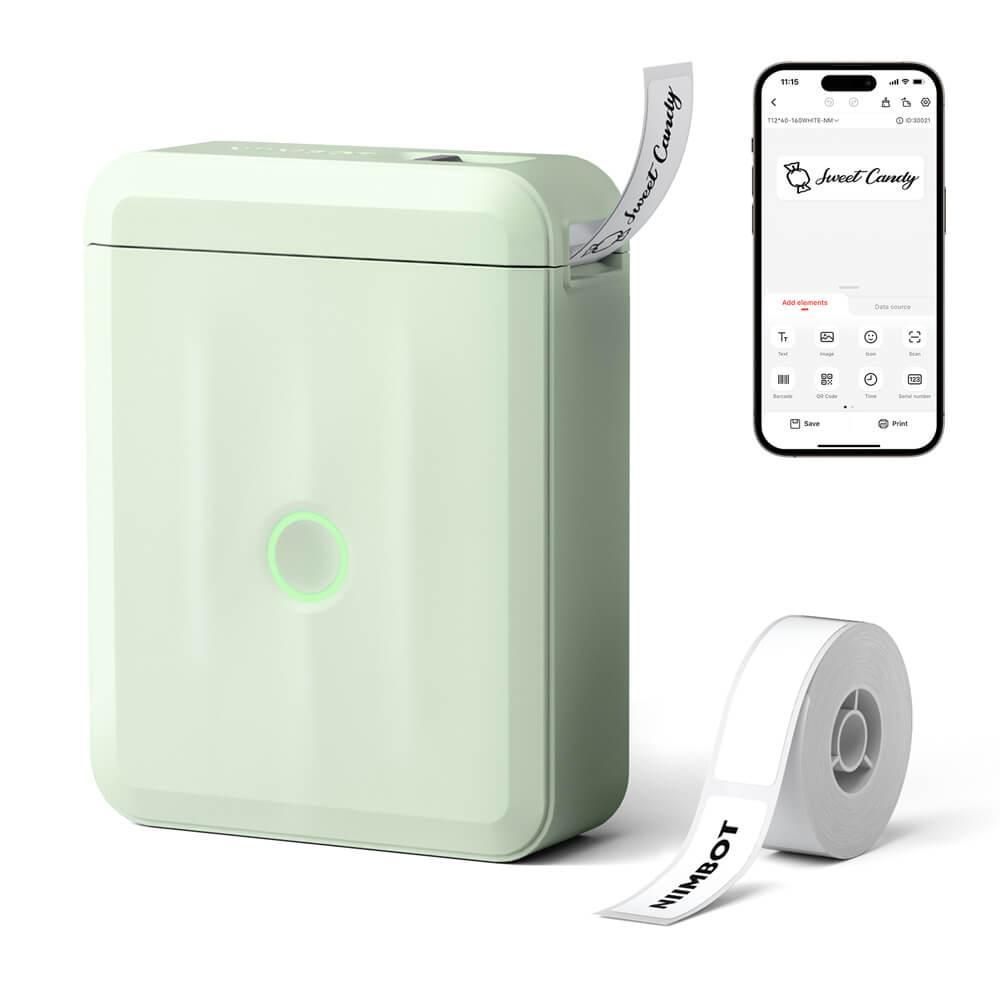
The D110 is the machine most people have seen on social media, and it earns the attention. At around 149g it genuinely disappears into a pocket, the 203 dpi thermal print is crisp, and the 1500 mAh battery ran for hours of intermittent printing without a top-up. The app is the deepest here by a distance — fonts, symbols, frames, templates, barcodes.
That depth is also its drawback. Starting a label means making a lot of small decisions, and for a whole-house project that adds up. It is the machine to buy if you enjoy the designing part; it is not the machine that quietly finishes your pantry while you are half-watching something.
Pros
Very light and truly pocketable
Crisp 203 dpi inkless printing with automatic label recognition
Long battery life across multi-day sessions
Huge template, font and symbol library
Cons
App depth creates decision fatigue on big labeling projects
Labels are not saved into an organised, room-based library
Narrow tape limits longer shelf labels
3
Brother P-touch CUBE PT-P300BT
Best for labels that have to survive
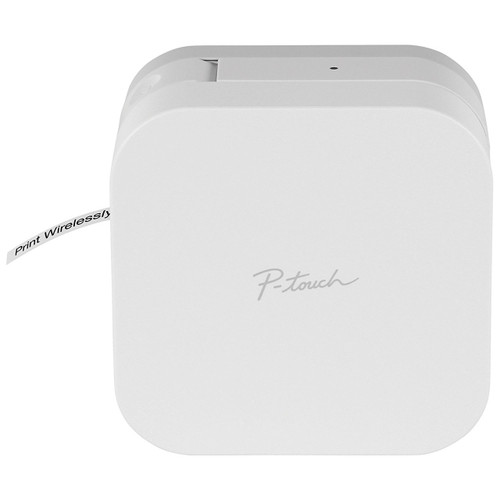
If a label is going somewhere hostile — a freezer container, a bathroom shelf that gets steamed daily, a bin that gets dragged in and out of a garage — Brother’s laminated TZe tape is still the benchmark. We scrubbed these labels and they did not smear or lift. The Design&Print app is mature, with over a thousand symbols and real font control.
The trade-offs are physical. It is the bulkiest unit here, it runs on six AAA batteries unless you keep it plugged in, and laminated cassettes mean more waste per label than thermal rolls. It stays on a shelf rather than travelling around the house with you.
Pros
Laminated TZe tape is the most durable label on this list
Excellent for freezer, bathroom and garage use
Mature app with a large symbol and frame library
Trusted brand with wide tape availability
Cons
Bulky and not comfortable to carry room to room
Six AAA batteries or mains power — no built-in rechargeable pack
Cassette tape produces more waste per label
4
Phomemo D30
Best for small, tidy labels
The D30 is the neatest little machine in the group. It is compact enough to live in a kitchen drawer, prints clean inkless labels on 12mm rolls, and the app is simple in a way that beginners appreciate — you can be printing within a couple of minutes of unboxing.
Its limits show up when the project scales. The narrow label width means long names get cramped, and once you are past the spice rack you start wishing for more room and more saved presets. Lovely for a focused drawer or jar project; less convincing as a whole-home tool.
Pros
Very compact and easy to store
Simple app — low learning curve for first-time users
Inkless thermal printing with widely available rolls
Neat, consistent print quality
Cons
Narrow label width cramps longer text
Limited saved presets for repeat labeling
Better suited to one drawer than an entire house
5
Nelko P21
Best simple starter machine
The P21 is a straightforward, no-drama portable printer: USB-C charging, a 1200 mAh battery, 203 dpi thermal output and a wrist strap that tells you exactly what it is for. It supports several label sizes, which gives it more flexibility than you might expect from something this basic.
The app is the weak point. It works, but it is plainer than the others and gives you less help getting a label to look good, which matters when the labels are going somewhere visible. As a first label maker for a specific job, it is a sensible choice.
Pros
USB-C charging and a decent rechargeable battery
Supports multiple label sizes
Genuinely easy to pick up and use
Light enough to carry around the house
Cons
App design tools are the most basic in this group
Little support for organised, repeatable label sets
Print speed lags behind the others on long runs
The bottom line
Every machine here prints a good label, and three of them would be an easy recommendation for a specific job: the Brother P-touch CUBE if your labels have to survive a freezer or a garage, the NIIMBOT D110 if you want the deepest design toolkit, the Phomemo D30 or Nelko P21 if you want something small and simple for one drawer. But the question we set out to answer was not which machine prints best — it was which one actually gets your house labeled. On that measure the LabelTidy Home Label Maker was the clear winner, because it is built around finishing the project rather than around printing a label. If you have bought a label maker before and it is still in a drawer, this is the one to try instead.